Navacation

Product case study

Navacation

Made to help you plan trips easier, without the hassle of coordinating across 10,000 websites.

Join the waitlist See the thinking
iOS + Android Free to use In beta on TestFlight Solo build, 18 days to beta

The problem

You've got the tickets. Now what?

Where do you even start?

Most trips stall right here. The flights are booked, and the plan lives in ten browser tabs, a group chat and somebody's Notes app. Navacation turns "now what?" into a starting point.

  • Start from a real tripReplicate a friend's itinerary, or even a stranger's public one. Add what you like, remove what you don't.
  • Plan as a groupInvite friends to add suggestions. They live in the app, so nothing gets lost or forgotten in the chat.
  • Keep the memoriesLog every country you've been to and when. When your trip ends, share the itinerary if you want to.

Who it's for

The planner in every group.

Young, tech-forward travelers, especially the Type-A planner who likes structure in their trip.

You know the one: they make the spreadsheet, chase everyone for answers and carry the whole plan in their head. Navacation gives them the structure they want, and gives everyone else an easy, low-effort way to contribute.

Competitors

The closest alternative, screen by screen.

Wanderlog is the app people reach for first. Here is how it handles the same three moments, and where Navacation takes a different path.

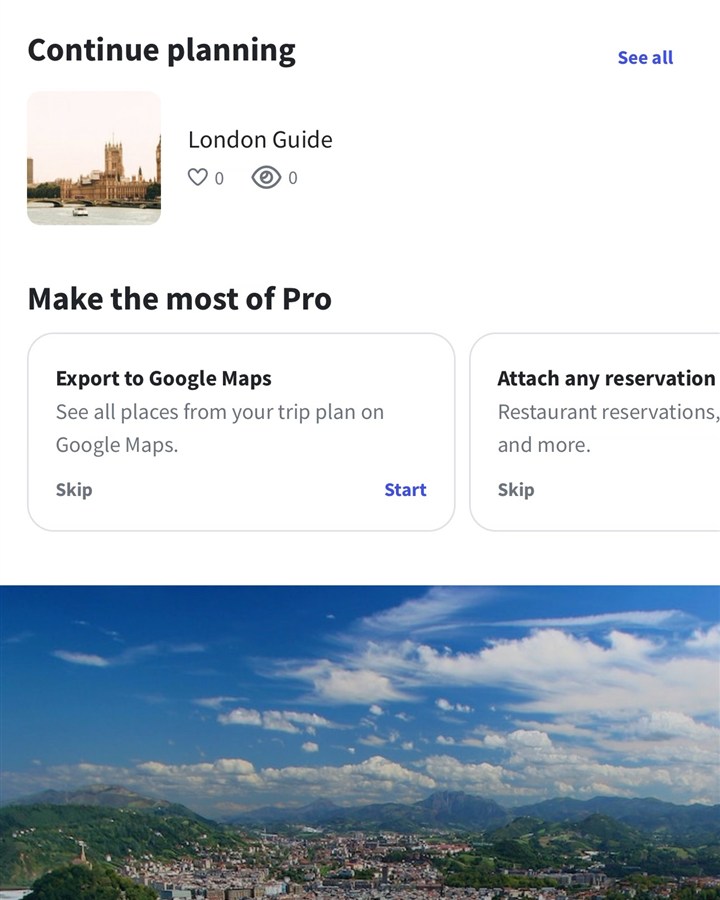
Wanderlog home screen with Continue planning and Pro prompts

Wanderlog · Home

Does well

A familiar launchpad: pick up where you left off, or start a new trip right away.

The gap

The home screen leans on upgrade prompts and a blank-page start. Navacation's home is simply your trips, and a new one can begin from somebody else's.
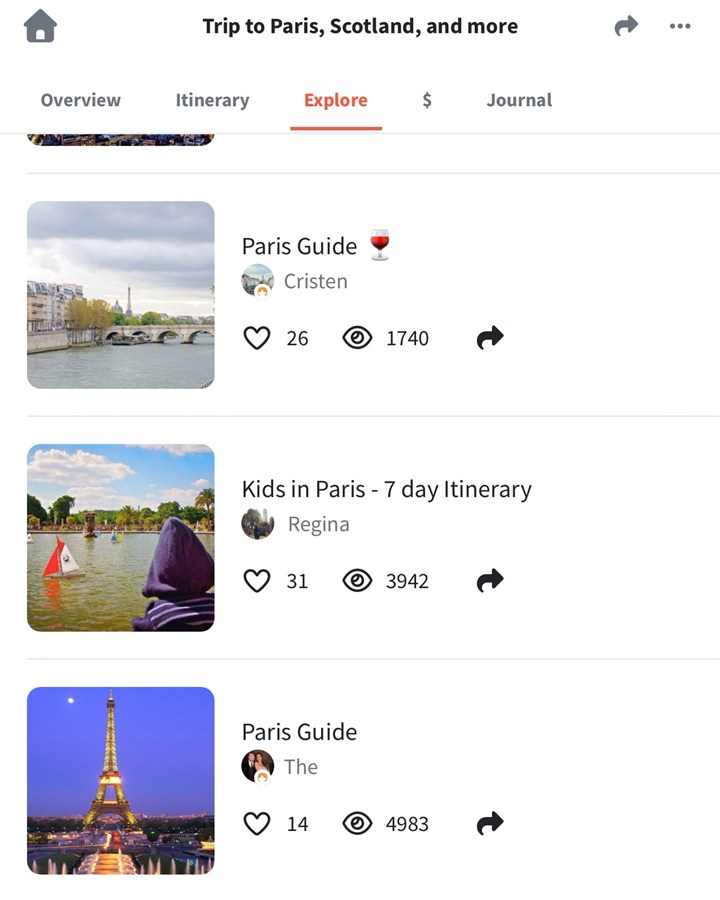
Wanderlog Explore tab listing guides from other travelers

Wanderlog · Explore

Does well

A big library of guides from other travelers, with likes and view counts, so you can borrow ideas.

The gap

The focus is browsing and borrowing single ideas. In Navacation the whole trip is the unit: replicate it with your own dates and edit it as your starting plan.

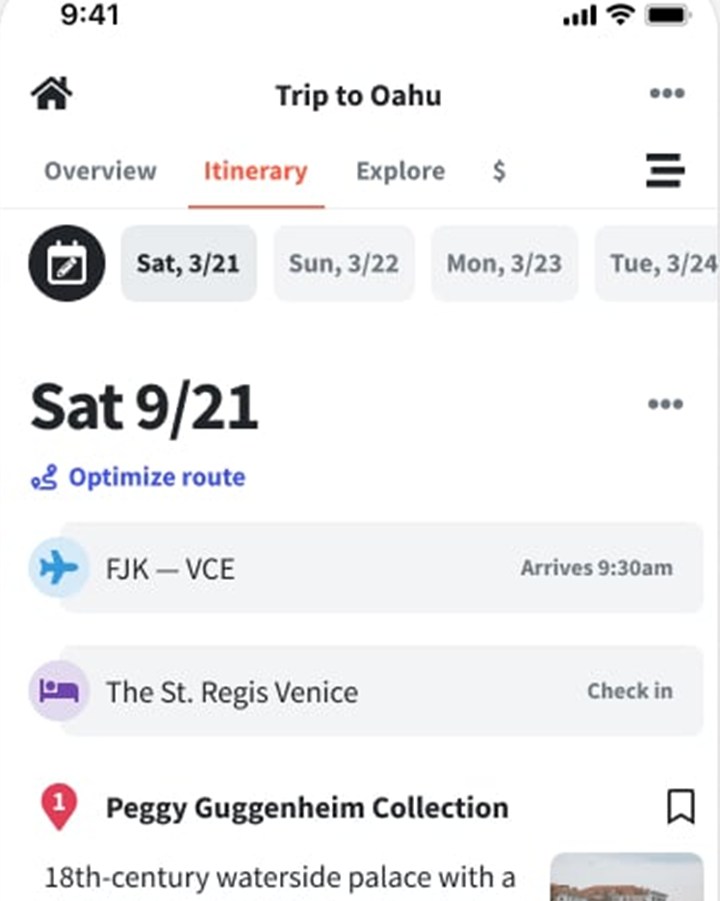
Wanderlog itinerary day with flight, stay and place details

Wanderlog · Itinerary day

Does well

A rich day view: route optimization, walking times and place details, with flights and stays at the top.

The gap

It is dense, built for the person doing the planning. Navacation keeps one calm, time-ordered list and a separate place for friends' suggestions, so contributors never need to learn a planning tool.

Also on my radar: TripIt turns booking emails into a tidy timeline but doesn't help you decide what to do, and a group chat is free and flexible but buries ideas and has no timeline. Screenshots: Wanderlog app, shown for comparison.

My solution

The key insight

The best itinerary usually already exists. A friend just took it. So Navacation starts with a real trip, not a blank page.

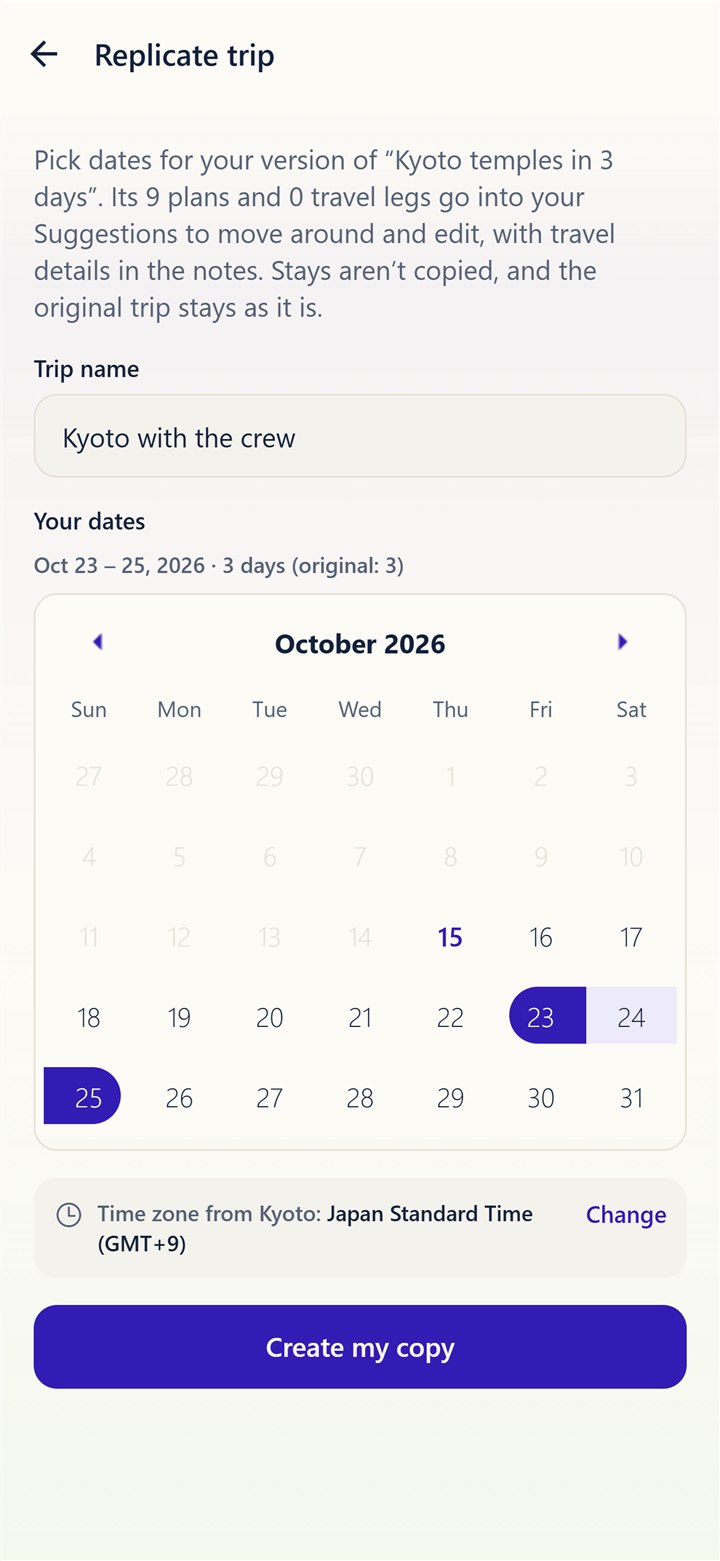
Replicate screen: pick new dates for a copied trip

1. Copy a real trip

Browse trips from friends or strangers, save them, and replicate one as your own. Pick new dates and change anything.

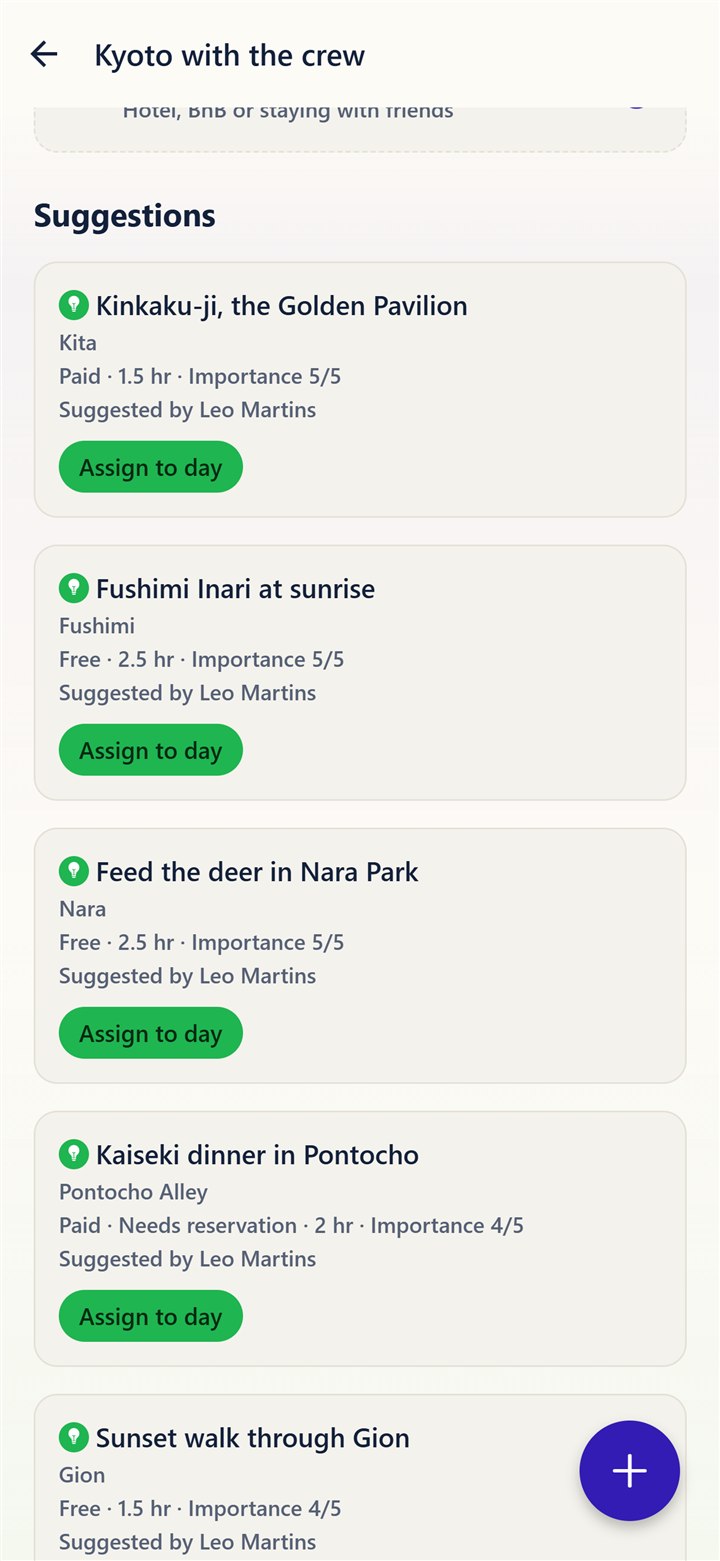
Friends' suggestions waiting to be assigned to a day

2. Plan it together

Invite friends by username or link. Their suggestions stay in the app until you assign them to a day.

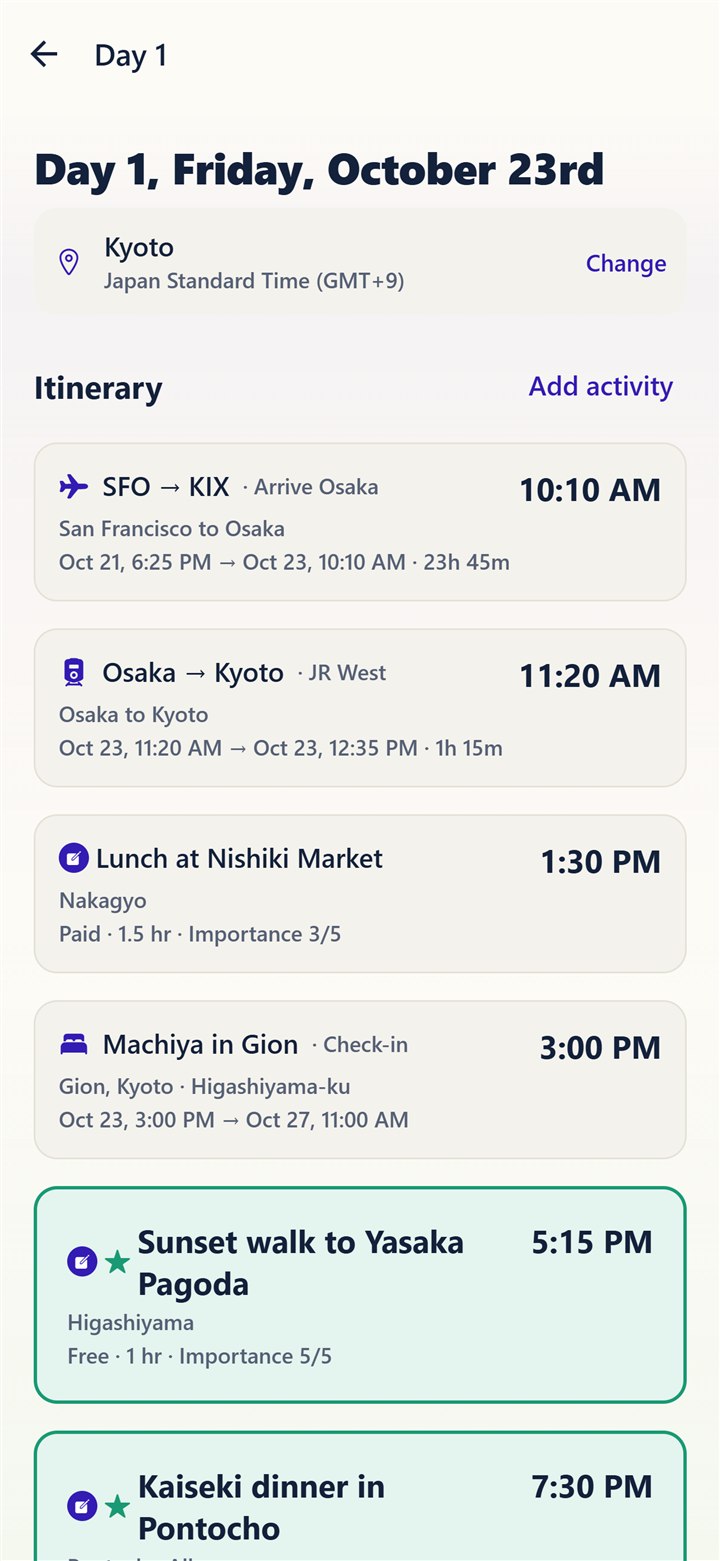
A day itinerary in time order

3. See the whole day

Flights, trains, stays and activities in one time-ordered list, with the must-dos highlighted.

No booking, no payments

Navacation plans the trip; it doesn't sell it. That keeps it simple, free and trustworthy.

Suggestions stay separate from the plan

Group ideas don't clutter the itinerary. The organizer decides what becomes part of a day.

Built for the organizer, easy for everyone

Planners get structure. Everyone else joins with a link and adds ideas in a few taps.

Privacy as a feature

Anonymous analytics, no screen recording, and in-app account deletion.